google toolbar

GoogleEarth

GoogleEarth
GoogleEarth

Google Chrome

Google Chrome
Google Chrome

Blogger Template Designer

Blogger Template Designer
Affichage des articles dont le libellé est Services Google. Afficher tous les articles

Blogger Template Designer now available to everyone

mercredi 23 juin 2010

In March, we launched the Blogger Template Designer on Blogger in Draft, our experimental playground where you can try out the latest features Blogger has to offer. Today we’re excited to announce that the Blogger Template Designer has graduated from Blogger in Draft and is now available to everyone by default.

Blogger Template Designer is a way for you to easily customize the look of your blog without knowing any HTML or CSS. You can select from a variety of templates, images, colors and column layouts to make your blog an expression of you. See our post on Blogger Buzz for the highlights on this new tool.

You can try the Template Designer on your blog now by going to the “Design” menu, then selecting “Template Designer.” Even if you don’t have a blog — or weren’t planning to redecorate the one you have — you can try out the Blogger Template Designer and play around with potential designs. If you like one, you can apply it to a new blog or to an existing blog.

If you want to learn more on how the Blogger Template Designer can help you create your own unique blog designs, watch our video and check out the Blogger Buzz blog


FIFA.com and Google team up to help fans celebrate the 2010 FIFA World Cup™

The 2010 FIFA World Cup has kicked off in South Africa. During the month-long tournament, millions of fans around the world will follow the games.

To mark the event, FIFA.com, the world’s official football website, and Google have collaborated on a range of online features to help supporters keep track of how each team is doing throughout the tournament. Whether you’re searching for FIFA World Cup news or want to voice your opinion on a player’s performance, we have a number of ways for fans to stay on top of the action:

Follow your team while browsing the Internet: stay up-to-date when you’re online with the FIFA.com Chrome extension. Get a live feed of FIFA World Cup results, news and match statistics and if you’re supporting a particular team, personalise the gadget for alerts of goals scored by your team as they happen.

See the latest scores and schedules in search results: search for [world cup], [world cup spain], [world cup group g] and more, and you’ll see live scores, latest results and match schedules at the top of your search results. You’ll find quick links to game recaps, live updates, standings and team profiles on FIFA.com.

Follow the tournament on your personalised home page: get all the latest information on FIFA World Cup teams, players and matches streamed to your very own home page with the iGoogle Gadget. If you want to know more about where all the action is happening, click on the ‘venues’ tab to take a closer look at the stadiums.

Get a feel for what it’s like to be there: FIFA.com and South African Tourism have used Google Maps to add information about the host cities, stadiums and attractions, giving people easy access to these sights with Street View and 3D views: maps.google.com/exploresouthafrica

You can get access to all of these features from FIFA.com and Google by visiting google.com/worldcup

Good luck to all, and may the best team win!

The art of a homepage

Last week, we announced a new feature that lets you add a favorite photo or image to the background of your Google.com homepage.

To provide you with an extra bit of inspiration, we‘ve collaborated with several well-known artists, sculptors and photographers to create a gallery of background images you can use to personalize your Google homepage. Included in the collection are photographs of the works of Dale Chihuly, Jeff Koons, Tom Otterness, Polly Apfelbaum, Kengo Kuma (隈研吾), Kwon, Ki-soo (권기수) and Tord Boontje, as well as some incredible photos from Yann Arthus-Bertrand and National Geographic. We’ll be featuring these images as backgrounds on the Google homepage over the next 24 hours.

Of course, since we want your Google homepage to be personal to you, you can still choose an image or photo from your computer or your own Picasa Web Album. Whether you select an image from our new artist collection or prefer to have a more personal touch on your homepage, you’ll still enjoy the speed and ease of use that you’ve come to expect from Google.

Niijima Floats, Dale Chihuly

Yann Arthus-Bertrand, GoodPlanet Foundation

We’re also excited to announce that this feature is now available internationally. We hope you enjoy the new artist collection and making Google feel more like your own!

Update June 10, 11:31AM: Last week, we launched the ability to set an image of users’ choosing as the background for the Google homepage. Today, we ran a special “doodle” that showcased this functionality by featuring a series of images as the background for our homepage. We had planned to run an explanation of the showcase alongside it—in the form of a link on our homepage. Due to a bug, the explanatory link did not appear for most users. As a result, many people thought we had permanently changed our homepage, so we decided to stop today’s series early. We appreciate your feedback and patience as we experiment and iterate.

Blazing the online safety trail

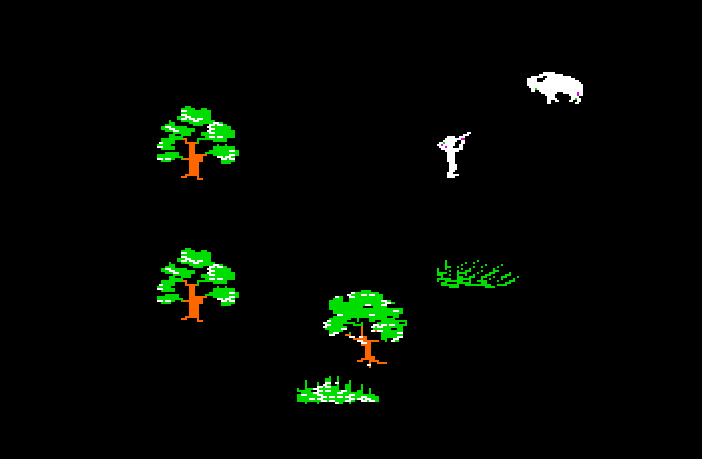
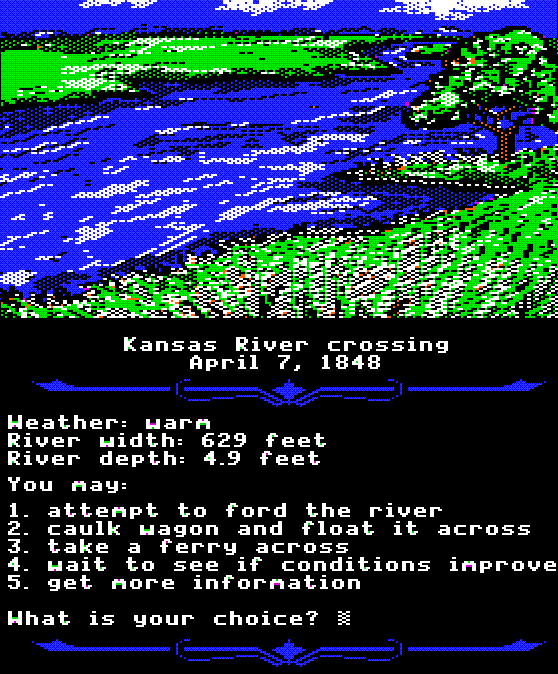
When I was in middle school, computer class was spent learning the basics of “keyboarding” and rushing to finish the lesson so I could get back to my journey on the Oregon Trail. My main goal was to survive the river crossings, maintain enough buffalo meat to sustain my family and arrive safely in California with my entire fake family still alive.

Today, many schools are teaching their first graders the basic computer skills I was learning at 13. Teens have always been the quickest adopters of new technology, as parents and teachers struggle to keep up and equip teens to make good decisions online.

When I visited Dunne Technology Academy in South Chicago earlier this week, most of the students were getting ready for their summer break, but we paused for a bit to talk about what they’re doing online. The majority of these tech-savvy teens had all encountered cyberbullying at some point, had seen pictures and information on profiles they thought were inappropriate, and had had someone try to trick them through a phishing scam.

We spent the day discussing ways to avoid being scammed, how to create an online profile that can be an asset rather than a liability, and actions you can take if you’re being bullied, harassed or see inappropriate content. Most students seemed to understand that their online identity and their “real world” self were one and the same, and that they have choices in managing their content and reputation online. We agreed that by applying the rules of good citizenship online, the Internet would be a safer and more enjoyable experience for everyone.

So while teens have more difficult choices online today than to ford or to ferry the river in Oregon Trail, we can prepare them to make smart decisions online. Check out the educational materials from our Digital Literacy Tour in our Google For Educators site at www.google.com/educators/digitalliteracy.html.


The power of human rights video

A year ago this weekend, Tehran erupted in protest at the disputed results of Iran’s tenth presidential election. In the severe government crackdown that followed, documented on cameras and uploaded by citizens to YouTube, no moment has been seen more than the death of Neda Agha Soltan, a young musician whose brutal killing by a sniper became the rallying cry for Iran’s opposition Green Movement. The anonymous videos of her death even won the prestigious George Polk prize for journalism last year.

How has video become such an important part of human rights advocacy worldwide?  In the past, we mainly saw these kinds of images in the nightly news or in documentaries - and even then only occasionally. But now that access to the Internet is much more widespread (even in many developing countries), and billions worldwide have access to ever more powerful cellphones and digital cameras, we encounter human rights images much more directly - on YouTube, in Google searches, in Facebook feeds, through links shared on Twitter.

Today the YouTube blog begins a series of posts exploring the issues around human rights and video in partnership with WITNESS, an international human rights organization that supports people using video to document and expose human rights violations. We encourage you to learn more.

Grab bag videos are back!

We’re kicking off June with the start of a new round of webmaster Q&A on the Webmaster Central YouTube channel. You submitted and voted on questions for Matt Cutts to answer, and Matt sat in the studio for a full day sharing advice for webmasters.

For those of you who watch each video (and who doesn’t?), we’ve worked hard to keep things interesting. Not only did Matt wear different colored shirts, we changed the backgrounds as well! Just don’t submit any screen grabs to We Have Lasers, okay?

To get you started, here’s the first video, which addresses a question about geographic targeting in Webmaster Tools


We’ll be posting links to new videos as they’re posted on our Twitter account, so follow us there or subscribe to our YouTube channel to be notified of new answers.

YouTube's Interactive Transcripts

YouTube added a cool feature for videos with closed captions: you can now click on the "transcript" button to expand the entire listing. If you click on a line, YouTube will show the excerpt from the video corresponding to the text. If you use your browser's find feature, you can even search inside the video. Here's an example of video that includes a transcript.


YouTube lets you upload a transcript file for a video and it can automatically generate the appropriate timestamps. "YouTube uses experimental speech recognition technology to provide automatic timing for your English transcript. Automatic timing creates a caption file that you can download."

{ Thanks, Bogdan. }

Inform, engage and mobilize voters with YouTube and Google Campaign Toolkits

It’s no secret that any successful 21st century political campaign must have a robust online strategy to succeed. But elected officials and candidates need more than just a website and a YouTube channel to engage voters: from President Obama’s YouTube interview to Senator Scott Brown’s campaign team’s use of Google Docs to Congressman Scott Murphy’s “Google blast” ad strategy, we’re seeing politicians use more and more of our products and platforms to interact with voters, share information and keep their campaigns organized.

We want to do our part to make sure candidates and campaigns have the tools to stay close to voters, who now expect to hear and see much more from their elected officials than ever before. So today, we’re launching YouTube’s You Choose 2010 Campaign Toolkit and a new and improved Google Campaign Toolkit. Both help candidates make their organizations more effective and deliver their messages more directly. On YouTube, campaigns will have access to features like a Politician channel (which allows campaigns to brand their channel and upload longer videos), Google Moderator, our free analytics tool YouTube Insight, and information about running paid advertising campaigns—using formats like in-stream ads and Promoted Videos—to reach viewers with political ads, just like on TV. And our Google toolkit demonstrates how Google Apps can keep staff and volunteers connected, how search ads can grow your email list and provides other helpful tools.

We hope campaigns in both national and local contests will use these toolkits to engage and inform voters on important issues in 2010. As access to information online is increasingly important in elections, we’re pleased to continue developing useful tools for voters and candidates

Find Microblog Updates with Images

Google added a new advanced search option that lets you restrict the posts from sites like Twitter, Facebook, Google Buzz to updates that link to images. You only need to select "updates" in Google's left sidebar and click on "updates with images".


The new search filter is useful to find photos from recent events, personal pictures and random images from all over the world.


{ spotted by Google.org.cn. Thanks, TomHTML. }

Decrypting the RLZ Parameter

If you install a Google software that lets you perform searches, you'll notice that Google search URLs include a new parameter called RLZ, which has a cryptic value. Google has open-sourced the RLZ library and we can now decrypt the value sent to Google every time you search.


"Client applications with the RLZ library can use explicit cohort tagging to manage promotion analysis. A client application with a particular tag can transmit that tag as it chooses for payments and analysis purposes. As an example, the RLZ parameter "rlz=1T4ABCD_enUS202" indicates the client application is Toolbar version 4, distributed with Abcd software bundle, English version, to a US user in December 2006. This empowers computation of metrics broken down into useful dimensions," explains Google.

"T4" is a codename for Google Toolbar 4 for Internet Explorer, but Google uses many other values: "C" for Google Chrome, "D" for Google Desktop, "B" for Google Toolbar for Firefox, "U" for Google Pack. "ADBR" is a code that identifies the distribution channel. "This correlates to how the user got the software (ie. they downloaded it by itself vs. it came pre-installed on their new computer vs. it came with a partner's software)." "c" is a value that tells Google if someone was already a Google user.

The library sends Google two other interesting values: install cohort (the country and week of the user's installation event) and first search cohort (the country and week of the user's first Google search). The week is measured as the number of weeks since Feb 3, 2003. For this example, "US239" informs Google that the user performed a search from the US in September 2007.

It's interesting to notice that Google measures the success of a campaign that promotes Google Toolbar, Google Chrome or other Google software by counting the number of Google searches

Code for My Tracks is now yours

A year ago, we released My Tracks, an Android app that lets you track activities like hikes, bike rides and trail runs using your mobile device. Now we’re announcing the release of the My Tracks source code into the wild.

What this means to users: My Tracks will become even better. The collective intelligence of the development community will create a more powerful, more intuitive, more useful, and more robust My Tracks. In addition, complementary apps will be written (For details on third party app development, see the wiki documentation). Applications for fitness activities, geocaching—heck, even dog tracking—are not hard to imagine.

Open-sourcing My Tracks also means that bug tracking is now public. Go to the "Issues" section of the My Tracks Code site to see what is being actively developed and to file your own feature requests/bugs.

What this means to developers: You can now contribute code directly to My Tracks to improve it, fix a bug, or add a feature. We don't promise that all changes will become part of the My Tracks codebase, but cleanly coded, useful contributions have a darn good chance. If you’re feeling adventurous (and slightly masochistic), file and fix bugs for unreleased--and probably buggy--versions of My Tracks, to improve overall quality and stability. Note that for all contributions, we have a code review process—see the wiki for more information.

How non-coders can contribute: Translate My Tracks! If you'd like to translate My Tracks to your language, or fix a translation that is incorrect, please let us know at mytracks-dev@googlegroups.com and we'll explain how to do it. We'll soon post documents explaining the process, on the My Tracks wiki.

All development-related discussions will occur on the mytracks-dev@googlegroups.com list (but please don't post coding-related questions there).

This is an exciting new track for My Tracks. Jump in!

Permalink Links to this post

Take a test drive into the cloud


We’ve talked about the power of cloud computing and how millions of businesses have already gone Google by switching to Apps. But sometimes it’s hard to imagine what working in the cloud would really mean, and frequently, people ask us how they can better understand the benefits of Google Apps specifically for their business. How would online collaboration really affect your workplace? And how could increased email storage or integrated IM and video chat actually impact your company’s productivity?

To answer some of these questions, we’ve created the Go Google cloud calculator to let you take a test drive into the cloud. Whether your company is big or small, brand new or been around for a while, this tool will give you a sense of the benefits of going Google in an easy-to-understand way. Here’s a quick demo:


Once you take a spin and learn about the potential cost and time savings, the tool will create a custom URL, presentation PDF, spreadsheet or even a poster that you can share with other decision makers within your business as you discuss going Google.

To show you a real-life example, we asked one our customers, Smart Furniture (you may remember them from their recent guest post), to test-drive the tool for us. And here’s their poster:


So if you’ve been thinking about moving your business to the cloud, take a couple minutes and see what it would be like to go Google. Be sure to tweet and share your results. The Go Google cloud calculator can be found at www.gonegoogle.com.

Six ways to find the right Chrome Extension for you

With so many Chrome extensions to choose from, exploring the extensions gallery has been like a treasure hunt for me. Over the last few months, I've spent hours checking out new extensions and discovering cool ways to keep up with the latest news or find better deals online. I'd like to share with you some useful extensions that I came across in six easy-to-use pages for web development, blogging, shopping, sports, fun and Google applications.


I always love finding a bargain online. For all of you who also like to shop smart, these extensions can make online online shopping faster and easier. You can track an item's price history with the Camelizer extension or complement your bargain hunting with extensions from Amazon, Woot! and eBay.

We also have extensions dedicated to fans of sports from around the world. You can track live scores and commentary on cricket, rugby and Formula 1 with extensions from ESPN. If you want an edge in your fantasy sports leagues, the Pickemfirst extension brings you news, game statistics and commentary of pro sports players currently displayed in your browser.

Besides sports and shopping, these blogging extensions can help you write better blog posts and share web content more efficiently. You can quickly post to your blogs at TypePad or Blogger. You can also get contextual suggestions of related articles, images, links and tags with Zemanta. After the Deadline offers an extension that automatically checks your spelling and grammar (while optionally checking for cliches and double negatives!)

In addition, we made it easier to find the extensions for Google applications you frequently use. These include extensions to preview Google Docs or to check your Google Calendar directly from your Google Chrome browser.

For those of you who want to complement Google Chrome's developer tools to create a customized development environment in Chrome, there are web development extensions such as viewing PHP documentation, creating random dummy text or testing your page at various resolutions.

Finally, if you want to play a prank on your co-workers or take a 5-minute break with a game, there are quite a few fun extensions to brighten up your day.

I hope you enjoy these pages. There are more than 4,000 extensions waiting to be discovered in the gallery. Happy hunting!

A new Chrome stable release: Welcome, Mac and Linux!

In our most recent beta release, we fired up all engines to bring to life our fastest version of Chrome to date.

Today, we’re bringing all this beta goodness to the stable channel so that it’s available to all Chrome users. We’re particularly excited to bring Chrome for Mac and Linux out of beta, and introduce Chrome’s first stable release for Mac and Linux users. You can read more about the Mac and Linux stable releases on the Google Mac and Chromium blogs respectively.

Today’s stable release also comes with a host of new features. You’ll be able to synchronize not only bookmarks across multiple computers, but also browser preferences -- including themes, homepage and startup settings, web content settings, preferred languages, and even page zoom settings. Meanwhile, for avid extensions users, you can enable each extension to work in incognito mode through the extensions manager.

Our stable release also incorporates HTML5 features such as Geolocation APIs, App Cache, web sockets, and file drag-and-drop. For a taste of HTML5’s powerful features, try browsing through websites developed in HTML5 such as scribd.com, dragging and dropping attachments in Gmail, or by enabling the geolocation functionality in Google Maps. We’ve also given Chrome’s bookmark manager a facelift with HTML5:


In recent weeks, we’ve been beta-testing Adobe Flash Player integration into Chrome. While Flash Player integration in the browser is not included by default in today’s stable release, we’re excited to enable this feature with the full release of Flash Player (version 10.1) soon.

If you’re already using Chrome for Windows, Mac or Linux, you’ll be auto-updated to this latest release soon. You can also try out these new features on our speedy browser now, by downloading Chrome from google.com/chrome.
 

2009 ·google english by TEG